

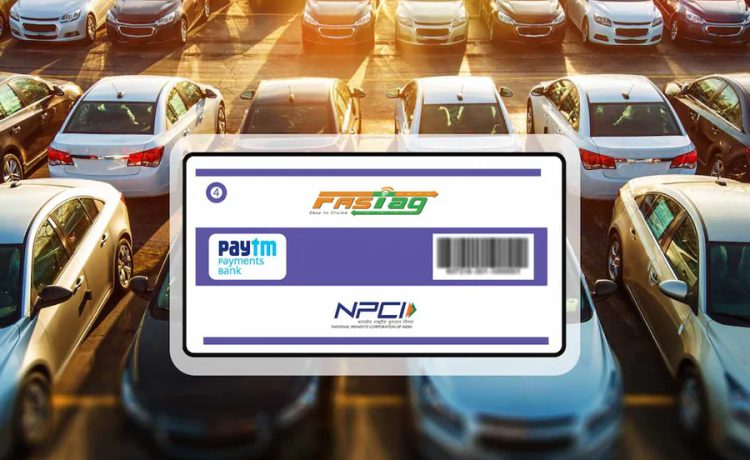
FASTag is an electronic toll-payment system designed to make highway toll transactions faster and more convenient. Instead of paying cash at a toll plaza, an eligible vehicle can use a FASTag linked to a prepaid balance, bank account, or supported payment arrangement. When the vehicle passes through a compatible toll lane, the tag is read electronically and the applicable toll amount is deducted.
For vehicle owners, the main benefit is not only speed. FASTag can also make toll spending easier to track, reduce the need to carry cash, and create a clearer transaction history for frequent road travel. However, smooth usage depends on maintaining enough balance, keeping vehicle details accurate, and resolving failed or duplicate deductions promptly.
Why FASTag Matters During Regular Highway Travel
Toll payments may appear small individually, but frequent travellers can make several such payments during a single trip.
A digital toll system can reduce the time spent searching for cash or waiting for change. It can also make highway travel more predictable because the payment process is linked directly to the vehicle’s tag.
FASTag can be particularly useful for:
- Daily commuters
- Intercity drivers
- Commercial vehicle operators
- Families taking frequent road trips
- Businesses managing multiple vehicles
The system is most effective when the tag remains active and properly funded before the journey begins.
How the FASTag Payment Process Works
A FASTag is typically placed on the vehicle’s windscreen.
When the vehicle approaches an enabled toll lane, the reader detects the tag and processes the payment according to the linked account or balance arrangement.
The transaction generally follows a simple flow:
- The vehicle enters the toll lane.
- The FASTag is scanned.
- Vehicle and account details are identified.
- The applicable toll amount is processed.
- A transaction confirmation may be sent to the registered mobile number or app.
This makes the transaction largely automatic from the driver’s perspective.
Keep the Tag Properly Positioned
A tag that is damaged, incorrectly placed, or difficult for the reader to detect can cause delays.
Vehicle owners should avoid:
- Removing and reattaching the tag repeatedly
- Placing objects over the tag
- Damaging the printed surface
- Using multiple active tags incorrectly on one vehicle
If a tag stops working consistently, users should contact the issuing bank or service provider rather than repeatedly attempting to pass through the same lane.
Balance Management Is Essential Before a Trip
A common reason for toll-payment problems is insufficient balance.
Before a long journey, users should check:
- Available FASTag balance
- Estimated toll requirement
- Recharge status
- Whether the tag is active
- Whether any previous transaction is pending
It is sensible to maintain a small buffer rather than recharge only the exact expected toll amount.
This becomes especially useful when the route changes or an additional toll plaza appears unexpectedly.
Recharge Before the Balance Becomes Critical
Waiting until the balance is almost zero can create unnecessary travel disruption.
Users can set a personal recharge threshold.
For example, if toll spending is usually ₹800 to ₹1,000 per trip, the user may decide to recharge whenever the balance falls below ₹500.
The right threshold depends on travel frequency and typical route cost.
The objective is to avoid discovering an insufficient balance while already at the toll plaza.
Track Toll Spending Like Any Other Recurring Expense
FASTag transaction history can provide useful insight into travel costs.
Frequent highway users can review:
- Toll amount
- Date
- Toll plaza
- Number of trips
- Monthly total
This can support budgeting for fuel, tolls, parking, and other vehicle-related costs.
Drivers who travel for work may also find transaction records useful when reconciling travel expenses.
Combine Travel Payments With a Broader Digital Routine
People who regularly use digital financial services often manage several payment categories from the same device.
For example, users may recharge FASTag, handle subscriptions, and pay utility bills online as part of one broader monthly payment routine.
The important point is to keep these transactions organised rather than treating every payment as an isolated task.
A simple monthly review of toll, utility, fuel, insurance, and subscription expenses can give a clearer picture of total household or vehicle-related spending.
Watch for Failed FASTag Transactions
A failed toll transaction can happen for several reasons.
Possible causes include:
- Insufficient balance
- Inactive tag
- Reader issue
- Incorrect vehicle mapping
- Technical connectivity problem
- Damaged FASTag
If a payment fails, users should first check the tag status and account balance.
Repeated problems should be reported to the issuing service provider.
Duplicate Toll Deductions Need Verification
Users may occasionally believe that the same toll has been charged more than once.
Before raising a complaint, review:
- Transaction time
- Toll plaza name
- Amount
- Direction of travel
- Number of actual crossings
If two deductions appear for one genuine passage, the transaction records can be used when contacting support.
Screenshots can help, but the transaction reference is generally more useful than an image alone.
Understand What Happens When the Tag Is Inactive
An inactive or blocked FASTag may not process toll payments normally.
Possible causes can include:
- Incomplete verification
- Account issue
- Tag replacement
- Vehicle-detail mismatch
- Insufficient balance depending on the setup
Users should check the exact status through the issuing bank or platform before beginning a long journey.
Resolving the issue before travel can prevent delays at the toll plaza.
Vehicle Details Should Match the Tag
FASTag is associated with a specific vehicle.
Important details may include:
- Vehicle registration number
- Vehicle class
- Registered owner details
- Tag status
Incorrect information can create payment or classification issues.
Whenever a vehicle registration changes or the tag is replaced, users should ensure that the issuer’s records are updated appropriately.
Avoid Using a Tag Meant for Another Vehicle
A FASTag should not be treated like a generic transferable payment card.
Using a tag associated with one vehicle on another vehicle can create identification and toll-processing problems.
Users managing several vehicles should maintain a separate, clearly labelled FASTag record for each vehicle.
This is especially important for families or businesses with similar cars.
Review Toll Alerts Instead of Ignoring Them
Transaction alerts can help detect unexpected deductions.
After a toll payment, users should occasionally check:
- Toll plaza
- Amount
- Timestamp
- Remaining balance
A small discrepancy is easier to investigate when noticed immediately.
Ignoring all alerts can make it difficult to identify when an unusual charge occurred.
Keep the Registered Mobile Number Updated
Notifications and account-related messages may depend on the registered contact information.
If the vehicle owner changes the mobile number, the new details should be updated through the appropriate issuer process.
An outdated number can cause the user to miss:
- Transaction alerts
- Recharge confirmations
- Service updates
- Verification requests
Current contact details make account management easier.
Be Careful With Fake Recharge Links
Fraudsters may use messages claiming that:
- FASTag is blocked
- KYC has expired
- Balance is negative
- Immediate recharge is required
- A refund is pending
Users should avoid clicking unfamiliar links.
The safer approach is to open the official bank, issuer, or payment application directly.
Never share:
- OTP
- UPI PIN
- Banking password
- Card PIN
- Screen-sharing access
Urgency should not replace verification.
Check the Recharge Recipient Carefully
Before completing a recharge, verify:
- Vehicle number
- FASTag account
- Issuing bank or provider
- Recharge amount
Users who manage more than one vehicle should be particularly careful.
A recharge sent to the wrong vehicle’s tag may not help when the intended vehicle reaches a toll plaza.
Clear labels can reduce mistakes.
Maintain a Travel Payment Buffer
Road trips often include more expenses than just tolls.
A practical travel budget can include:
- Fuel
- Toll
- Parking
- Food
- Emergency cash
- Accommodation where relevant
FASTag should therefore be considered one part of the total travel budget.
Keeping enough digital and emergency payment capacity can make longer journeys easier to manage.
Review Monthly Toll Patterns
Frequent users can benefit from comparing toll expenditure month by month.
A sudden increase may be explained by:
- More highway trips
- Different routes
- Additional toll plazas
- Longer travel distances
Tracking these patterns can help households or businesses estimate future travel costs more realistically.
When to Replace a FASTag
A replacement may be needed if the tag is:
- Physically damaged
- No longer readable
- Associated with a vehicle that has been sold
- Replaced as part of an account change
- Persistently malfunctioning
Users should follow the issuer’s replacement procedure instead of attempting to reuse an old or damaged tag indefinitely.
FASTag Can Support Better Vehicle Expense Planning
Toll payments are easier to manage when they are included in the larger vehicle budget.
A vehicle owner can track:
- Fuel
- Insurance
- Servicing
- Repairs
- Toll
- Parking
This creates a more realistic estimate of what the vehicle actually costs to operate.
Toll spending may seem minor compared with fuel or insurance, but frequent travel can make it a meaningful recurring expense.
Conclusion
FASTag can make toll payments faster and more convenient, but reliable usage depends on basic account management.
Vehicle owners should maintain sufficient balance, keep the tag active, verify vehicle details, review transaction alerts, and resolve duplicate or failed deductions promptly. Regular users can also include toll expenses in a broader travel budget rather than treating them as isolated payments.
A little preparation before a journey can prevent most avoidable FASTag problems and make highway travel smoother.
FAQs
1. What is FASTag used for?
FASTag is used for electronic toll payments on supported toll roads and plazas. The applicable amount is processed through the linked FASTag arrangement when the vehicle passes through an enabled lane.
2. Why can a FASTag transaction fail?
A transaction may fail because of insufficient balance, an inactive tag, incorrect vehicle details, a damaged tag, or a technical issue at the toll plaza.
3. Can one FASTag be used for multiple vehicles?
FASTag is generally linked to a specific vehicle, so separate vehicles should have their own correctly registered tags.
4. How can users avoid low balance during a road trip?
Users can check the available balance before travelling, estimate expected toll costs, and maintain an additional buffer for route changes or unexpected tolls.
5. What should users do if a toll amount is deducted twice?
They should review the transaction history, note the toll plaza, time, amount, and transaction references, and then contact the issuing bank or authorised FASTag service provider if the records indicate a duplicate deduction.